Dashboard unification
- CX + Design Lead
- Research
The Challenge: A Fractured Experience
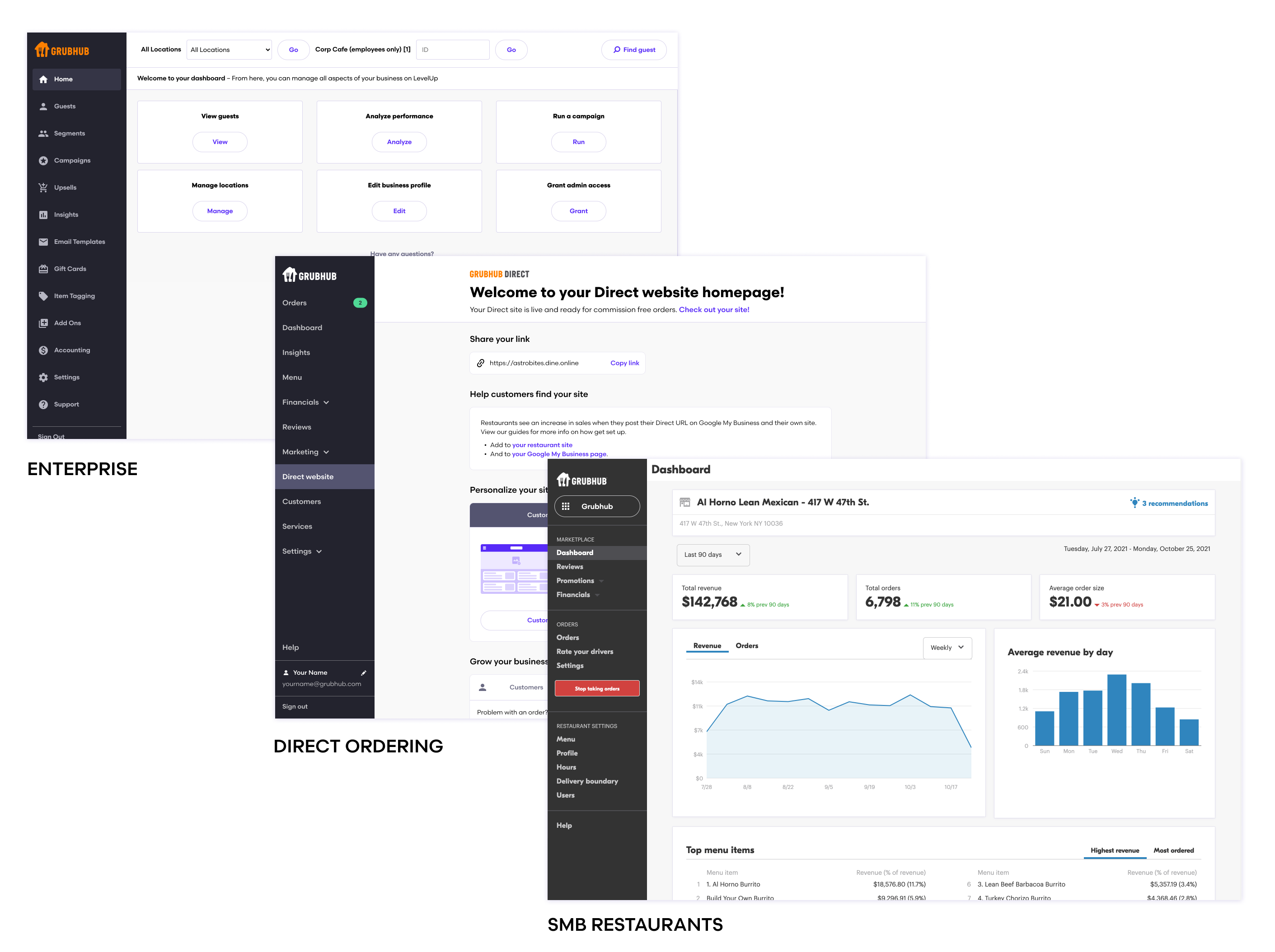
The task was to unify the experience of the Grubhub for Restaurants product, and bring together three different systems into one coherent and scalable product. This single product needed to serve all of our very different users from three existing platforms: small and medium businesses (SMBs), a customer focused add-on platform for SMBs, and enterprise-level merchants with many locations.
These systems were acquired separately or developed in silos. They are on two different tech stacks, are loosely connected, with different offerings for their specific users. The resulting experience is confusing from both internal and external vantages, and lacks operational, visual, and brand coherence.
Grubhub for Restaurants has outgrown its original purpose of enabling a single location restaurant to handle orders and delivery. The system needed to be unified and rethought to support the future growth of the business.
My Role
As a Senior Product Designer at Grubhub, I co-led the project of dashboard unification from November 2021 to June 2022, including research and discovery, UX strategy, UI design, prototyping, user testing and iteration of features.
Additional team members included two Product Managers, an Engineering lead and a Researcher. The project is being launched in multiple phases that will continue into 2023.
Research for Key Needs
Knowing the unification project had the potential to change many aspects of our core offering, our team wanted to make sure our approach was thoroughly considered, well researched with users, well understood and supported by stakeholders, and had a clear vision forward.
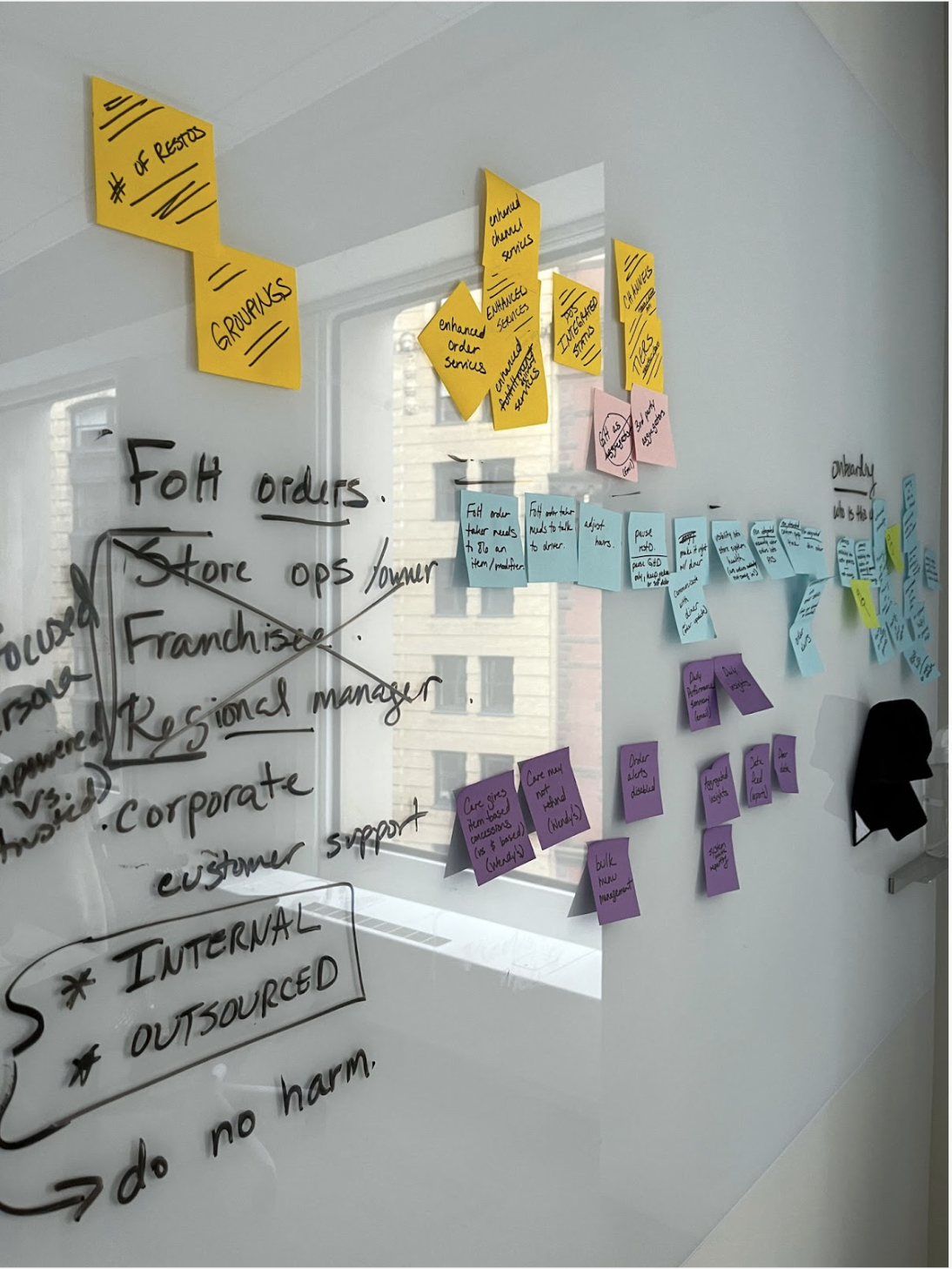
We had a two month discovery phase for this large scale project, collecting both qualitative and quantitative data. We conducted interviews with 19 internal stakeholders across 6 departments, including VPs and directors, care agents and learning services trainers to get a 360 degree view of pain points, insights and hopes for the unification project, as well as their support for the project as stakeholders.
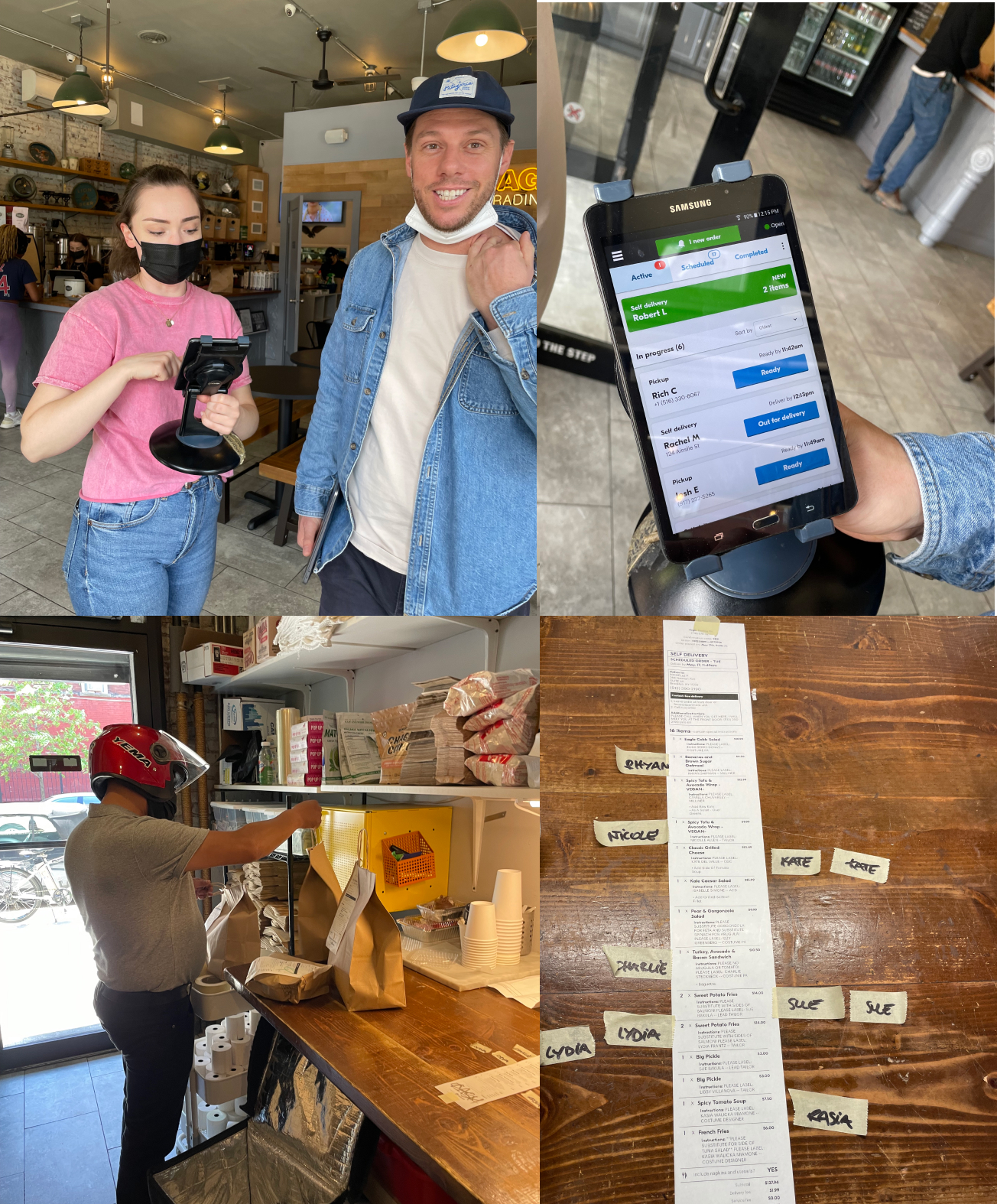
We participated in our research team’s “Vision Days” and as a larger team, meeting with 30 restaurants in person to learn about what is working and what isn’t, and heard about what our competitors are doing better. We got to see how our app was being used in the context of a busy restaurant setting.
We reviewed the full scope of our existing products, mapping all the pages, features and functions.
Research Summary
Three themes emerged from the early discovery work: our product was operationally inefficient, reactive, and not user centered. It was difficult and expensive to maintain disparate tech stacks, lacked self service solutions, and failed to provide actionable insights for our merchants. Technical constraints prevented flexible product solutions, and our users learned how to make do with solutions that were not built with them in mind. Accessing help was a challenge, and ultimately our users lacked the visibility and control they needed to be empowered to succeed.
From the discovery phase, we formed our north star product goal: Create a single, scalable platform that is operationally efficient, proactive and innovative, and focused on partnership and education.

Beyond dashboard unification, an opportunity
This project was an opportunity not only to consolidate systems, but to rebuild the foundation to create an updated, future facing merchant platform built for success. The solutions address the most important pain points from the discovery phase, and I created tailored solutions for each of the needs, spanning every part of the system.
The product path forward is guided by the goals of operational efficiency, being proactive and innovative, and focused on partnership and education.
Unified, expandable side navigation: Give new tools and products a logical place to live; reduce navigation bloat and make it clear where to find the tools users need, when you need them.
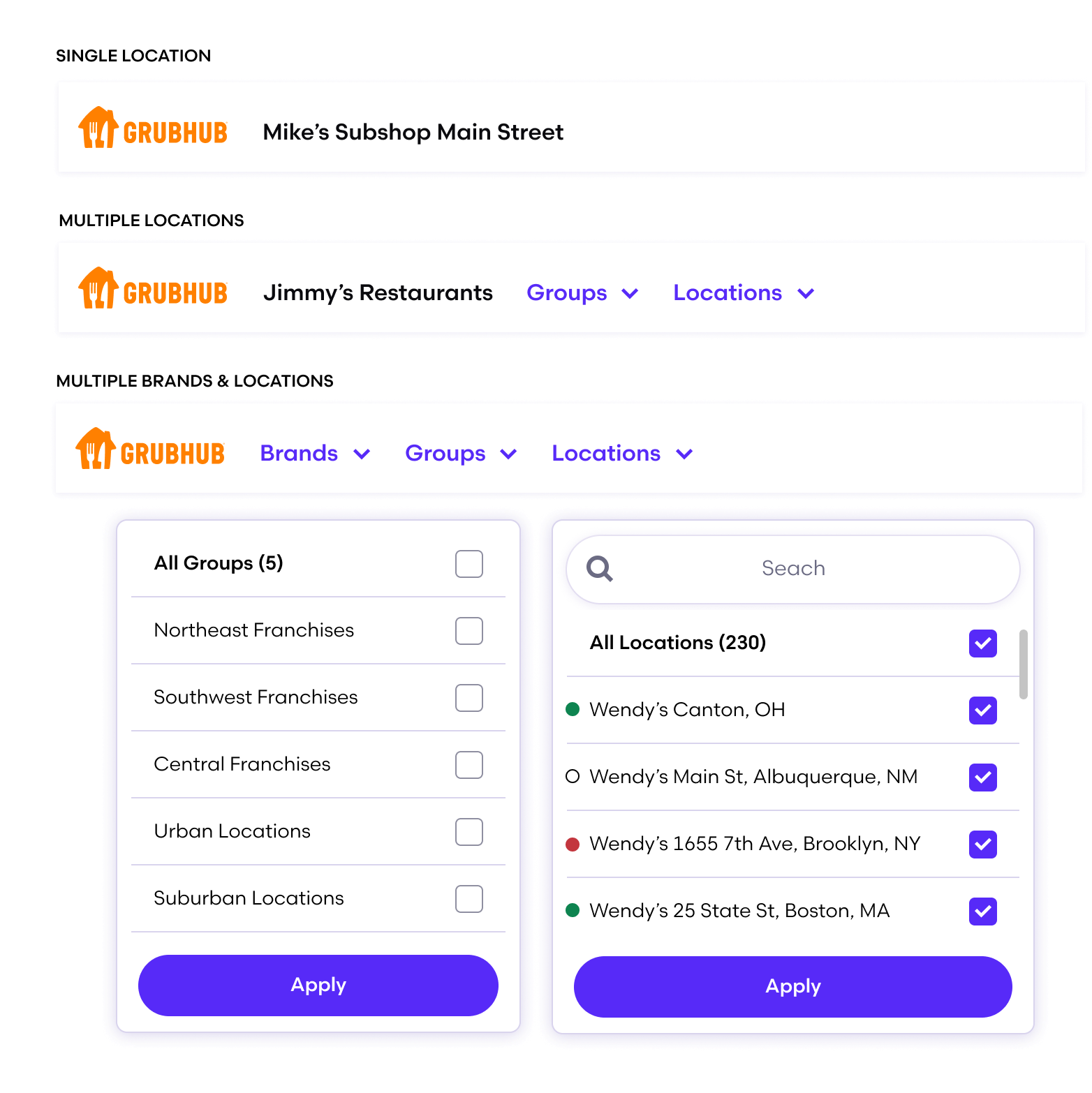
Flexible global navigation system: Create a system that supports data flexibility from a macro multi-brand view all the way down to a single SMB location to provide an overview of the business.
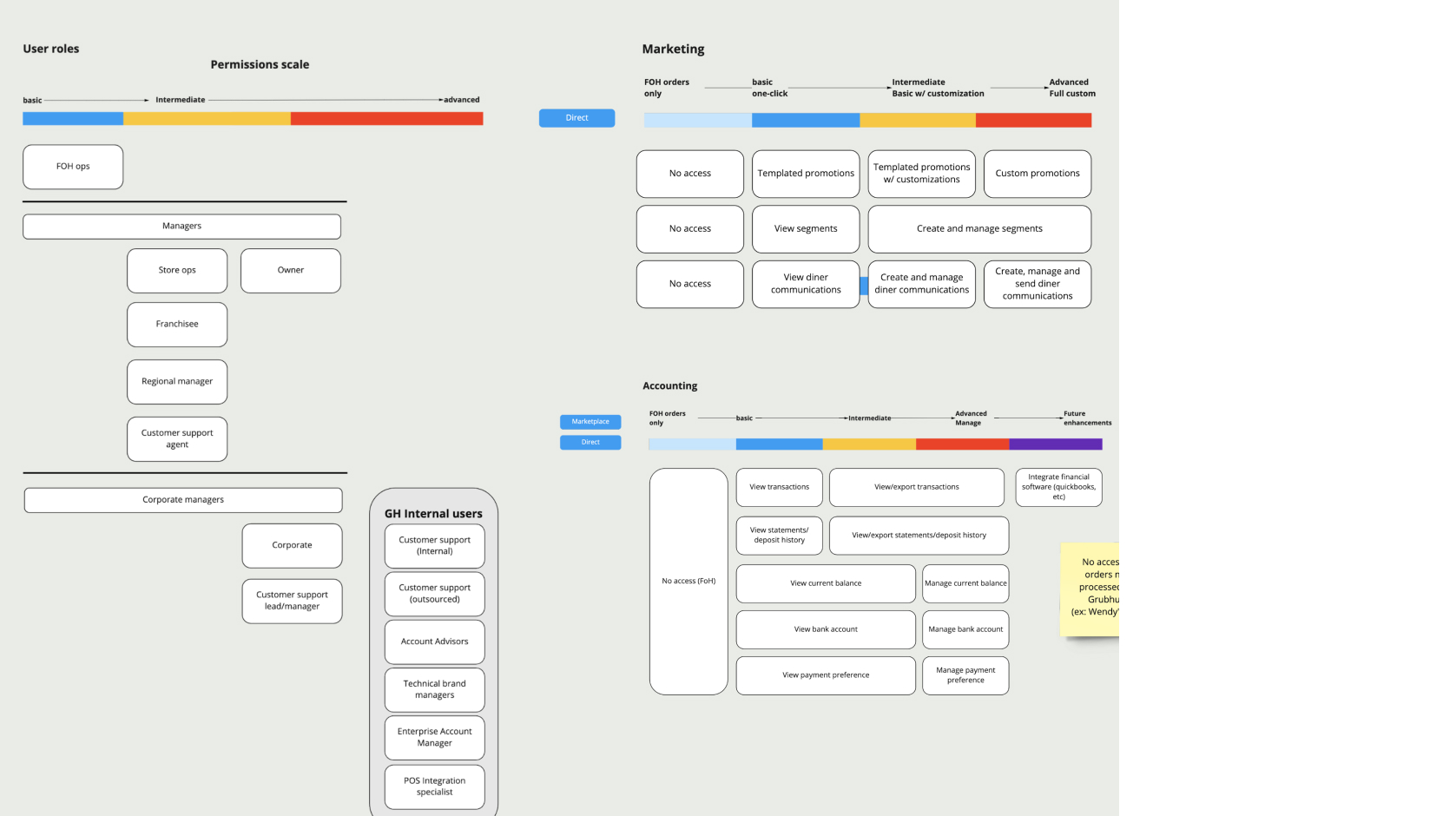
Adaptive, contextual user permissions: Allow for permission-granting and access that is sensitive to the business profile, the user, and the current task at hand. Our end users have similar needs, but in different ratios.
Contextual help, systems health indicator, and improved pause orders features: Provide transparency, actionable insight, control, and support to give all users the tools to succeed and grow their businesses.
Unified, expandable side navigation
The core architecture of the unified product needed to be consolidated with simplicity and flexibility in mind. We mapped all the systems tools and functions of the three products, and I grouped systems under workflows, and created a new structure with clearly named sections for an intuitive experience. I created an extensive sitemap for the content of all products.
Given our tech constraints, the site map reflects the need to expand in a phased way, with stages of inclusion of the direct ordering first, followed by the Enterprise features. Pages are grouped for improved find-ability, with page level improvements to make space for the additional system features.
To validate our new navigation, we tested internally first with 15 moderated group card sorts, iterated our approach, and then created a prototype to test externally with 35 unmoderated task-based interviews.

Contextual help
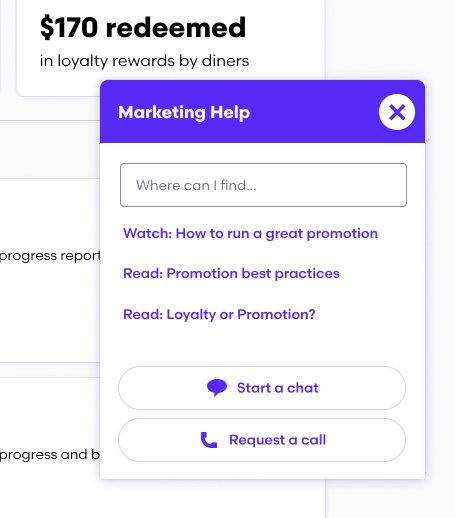
I created the contextual help modal to offer better partnership and communication with restaurants, a key goal of our project. It also helps meet the business goal of operational efficiency, and to help restaurants be more self sufficient.
The help modal appears on the main pages containing tailored content. Direct links to features like videos about getting started and how to get the most out of your insights can particularly help new users succeed. They can request a call from an agent, who will know where in the product the user has contacted them from. A chat modal with an automated flow provides even more operational efficiency.
Flexible global navigation
To accommodate users of all scales, I created a filterable global navigation to affect the aggregated view. Responding directly to research findings, users can get a holistic understanding of their day to day business, and an incredible amount of insight and control over their data. The structure is flexible, and works for multiple brands, multiple locations, or a single location user. The functions extend to thinking through bulk actions.
This concept was validated qualitatively by five groups of enterprise clients, who have multiple restaurant groups with thousands of locations.
Adaptive user permissions
The goal of our system was to go beyond the two existing permission levels. The current basic and admin user roles are the only two settings, and they are only functional for a small business.
In order to accommodate larger scale businesses, we knew we needed to add nuance and flexibility over who gets to access what features. As a cross functional team, including our engineer, a product manager, and two designers, we held a day-long workshop to collaboratively think through the solution.
Working from our research, we developed user stories for each persona for the groups of people who would interact with our product. We listed out what tasks they would need to accomplish, scoped out a permissions scale and what level of access to sensitive information they would need. Front of house cashier, to the restaurant owner, the franchisee, the regional managers, customer services, accounting, marketing, and operations roles for businesses large or small. Our engineer validated our thinking about how the experience could be split up, and that the system could be implemented from a backend perspective.
Adaptive user permissions assignment
Using our user profiles by work stream, I created groupings for each of the roles and created a system in which the user can assign one of a group of functions, or custom settings for the power user who wants to create a more customized access role. When those new users log in to the product, they will see only the tools they’ve been granted, the ones they need to focus on specifically. They won’t see tools they don’t need, or secure, sensitive information.
A focused experience
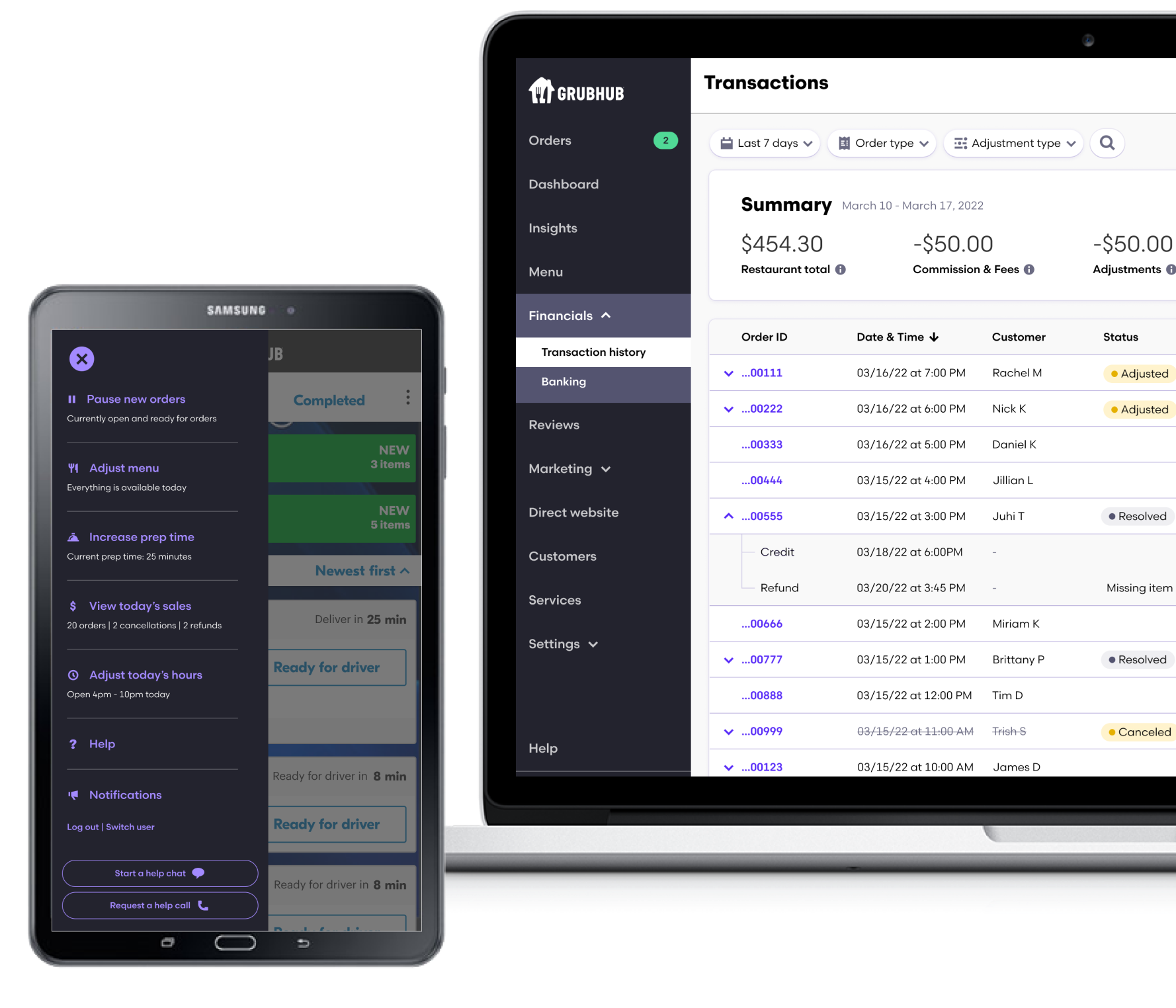
This is what the specific navigational experience looks like for two of the users, the front of house and the admin. A restaurant owner, or an enterprise level admin user would see all the financial information, or customer segmentation for promotions, for example.
For front of house users in the SMB world, Orders is a separate and focused experience usually used on a tablet. Giving more control, flexibility, and a better user experience to our restaurants is part of the vision of operational efficiency, a proactive, adaptive experience, and a partnership approach.
Outcomes
Usability testing of the phases and feature concepts have been extremely well received, and validated as the right paths forward. This is a multi-phased undertaking with many technical constraints and moving pieces to make crucial updates. Once product consolidation is completed over the next year, the foundation will be laid to make feature and page level changes, and many other key improvements to the product well into 2023.